Multiplication Progress Tracking: Charts & Tools
Learning multiplication is one of the most important milestones in a child's early education. It is the foundation for division, fractions, and even high school algebra. However, many parents and teachers struggle to keep students motivated during this long process. How can you effectively track a child's progress without making math feel like a chore?
The answer lies in using a structured system that combines visual aids and digital feedback. By using a multiplication table effectively, you can transform a difficult memory task into a series of small, achievable wins. This article will guide you through building a progress-tracking system that works for every type of learner. We will explore why "hybrid learning" is the secret to success and how you can use free online tools to make math mastery permanent.
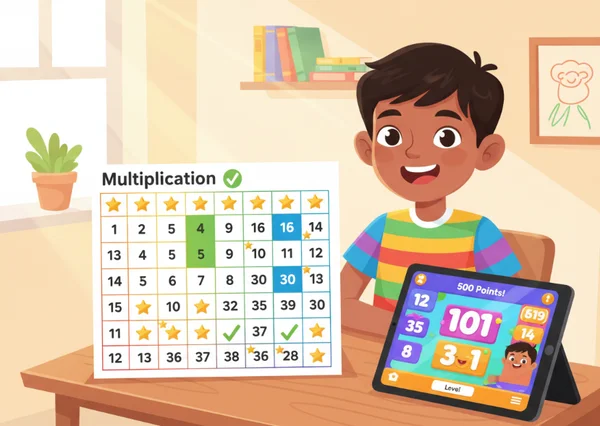
Why Hybrid Learning Works Best for Multiplication Mastery
In the modern classroom and at home, the best results often come from "hybrid learning." This means using both digital tools and physical, printed materials. When a child learns multiplication, they are not just memorizing numbers; they are building "number sense." This is the ability to understand how numbers relate to each other.
The Science Behind Visual Learning and Multiplication Retention
Visual learning is incredibly powerful for the human brain. Most people find it much easier to remember a picture than a list of abstract facts. A multiplication grid provides a "mental map." When a student looks at a chart, they aren't just seeing 6 x 7 = 42; they are seeing where that fact sits in relation to 6 x 6 and 6 x 8.
Visual cues help lock facts into long-term memory. A multiplication chart reveals patterns—like multiples of 5 ending in 0 or 5—making numbers easier to remember. These patterns act as "hooks" in the brain, making it much harder to forget the facts later on. This is why a visual tracking system is far superior to simple flashcards.
Digital vs. Printable: Understanding the Learning Benefits
Both digital and printable tools have unique strengths. Digital tools, like an interactive multiplication table, offer instant feedback. If a child is unsure of an answer, they can hover over a cell and see the result immediately. This prevents them from "practicing mistakes," which is a common problem in math.
On the other hand, printable charts offer a tactile experience. Writing things down by hand engages different parts of the brain than typing or clicking. A printed chart can be stuck on a refrigerator or kept in a school folder for quick reference. Digital tools speed up practice, while printables reinforce daily learning. Together, they create a double-layered system for faster mastery.
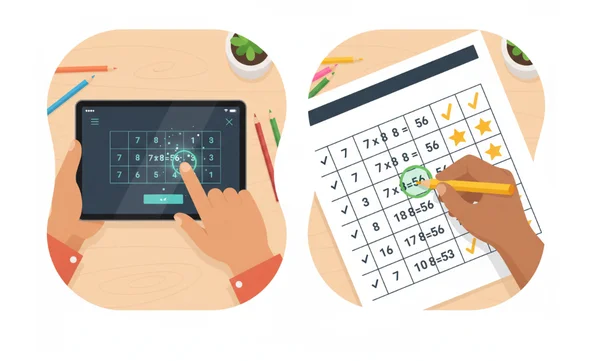
Creating Your Multiplication Progress Tracker System
To see real improvement, you need more than just a chart; you need a system. A progress tracker gives a child a sense of ownership over their learning. Instead of looking at a giant 12x12 grid and feeling overwhelmed, they see a series of small challenges they can conquer one by one.
Setting Up Your Printable Multiplication Chart for Tracking
The first step is to download a high-quality printable multiplication chart. Once you have it, you can turn it into a personal achievement map. Here is a simple 3-step setup:
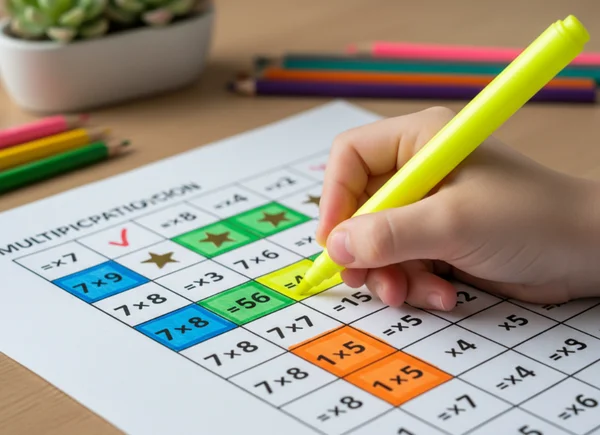
- The Baseline Check: Have the student go through the chart and color in the facts they already know (usually the 1s, 2s, 5s, and 10s). This shows them they aren't starting from zero.
- The Weekly Goal: Choose one row or column to focus on each week. For example, "This is the Week of the 4s."
- The Mastery Stamp: Once the child can answer any fact in that row within three seconds, let them mark that section with a star or a bright highlighter.
Having a physical record of their progress provides a huge boost to a child's confidence. They can literally see their "territory" of knowledge growing across the page.
Using Interactive Charts for Real-Time Assessment
While the printed chart is for tracking long-term goals, interactive charts are perfect for daily "check-ins." Before a study session, a student can spend five minutes exploring the interactive tool.
The hover-and-highlight feature on our website allows students to see the relationship between the multiplier and the product instantly. You can use the digital tool to perform "speed tests." Ask the child to find five different facts on the digital grid as fast as they can. Because the tool provides instant visual confirmation, the student builds a faster mental connection between the numbers. This real-time feedback loop is essential for building the "fluency" needed for more complex math later in life.
Customized Templates for Different Learning Styles
Not every child learns the same way. Some children need to see it, some need to hear it, and some need to "do" it. By customizing your tracking system, you can cater to these specific needs.
Visual Learner: Color-Coded Progress Systems
Visual learners thrive on color and layout. For these students, the "standard" black-and-white grid can sometimes look boring or confusing. Our online tools help students categorize numbers visually—a game-changer for pattern recognition.
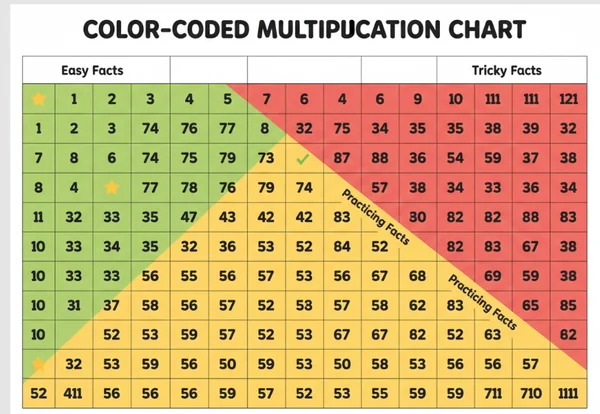
Try a color-coded system:
- Green for "Easy facts I know by heart."
- Yellow for "Facts I'm still practicing."
- Red for "The tricky ones (like 7x8 or 12x12)."
Our interactive tool allows you to highlight specific patterns. For a visual learner, seeing all the "square numbers" (1, 4, 9, 16, 25...) highlighted in a diagonal line across the chart can be a "lightbulb moment." It turns a wall of numbers into a beautiful, organized pattern.
Kinesthetic Learner: Hands-On Tracking Activities
Kinesthetic learners need to move their bodies or use their hands to stay engaged. For these students, a static chart on a screen isn't enough. You can adapt the tracking system by making it "physical."
One great activity is the "Step-and-Say" game. Print out a large, free multiplication chart and place it on the floor. Have the child jump to the square that represents the answer to a question you ask. Another idea is to use a "blank" grid. Give the child physical tokens (like dried beans or small blocks) and have them place the correct number of items in a specific area of the grid to "verify" the math fact. This physical verification helps the brain understand that multiplication is just repeated addition.
Auditory Learner: Rhyme-Based Tracking
Some children master math through sound and rhythm. For auditory learners, tracking isn't just about colors; it's about the "beat" of the numbers. You can use rhythmic chants or songs to help them memorize specific sets of facts. Mark their progress by recording them reciting a column flawlessly or by letting them teach the "rhyme of the week" back to you. This verbal confirmation acts as a milestone for their tracker.
Transform multiplication practice into a rewarding adventure with visual progress tracking. By moving away from boring drills and moving toward a system that uses both digital and physical tools, you make the journey visible and rewarding.
Small, daily improvements add up—celebrate each star on the chart! Whether you are using a printable progress chart on the wall or playing with interactive tools on your tablet, the goal is to celebrate growth. When a child sees their progress mapped out in colors and stars, they stop fearing math and start enjoying the challenge.
Start tracking progress today—print your chart now! Mastery is just a few clicks away.
FAQ Section
How often should I update my child's multiplication progress tracker?
Try updating the tracker at least twice a week. Updating it too often can make it feel like a chore. However, waiting a full month can make the goals feel too far away. A mid-week check-in and a "Friday Celebration" update is usually the perfect balance to keep a child motivated. You can use our digital resources for a quick test before each update.
What are the most important milestones to track in multiplication learning?
There are four key milestones to look for:
- Pattern Recognition: When the child understands how 5s or 10s work.
- The Commutative Property: When they realize that 3 x 7 is the same as 7 x 3.
- The "Hard 6" Mastery: When they finally memorize the toughest facts (6, 7, 8, 9, 11, and 12).
- Automaticity: When they can give an answer in under 3 seconds without counting on their fingers.
You can track all of these using the resources on our interactive learning platform.
Can I use the progress tracking system for multiple children simultaneously?
Yes! In a classroom or a home with multiple siblings, you're able to print different colored charts for each child. This allows each learner to progress at their own pace without feeling like they're "behind." You can also set up a "Classroom Goal" where everyone works together to master a specific set of numbers using our tools on a shared screen or smartboard.